Assetpro
An asset and inventory management system covering the full lifecycle, requisition to retirement. Designed against a fixed brief and a hard deadline.
Overview
Nine modules, one deadline. The first design problem was deciding which parts actually carried the product.
A consultancy’s client needed an asset and inventory management system. Organisations in that position share the same failures: no full picture of what they own, no reliable read on whether it still works, no trace of an asset’s life from requisition to retirement, and depreciation tracked somewhere nobody looks.
The brief named nine modules and asked for a prototyped, working interface. Designing all nine shallowly would have produced a convincing screenshot and an unusable product, so I built a system deep enough to be judged and left the rest represented rather than invented.
The work
Five decisions, in the order an asset moves through the system.
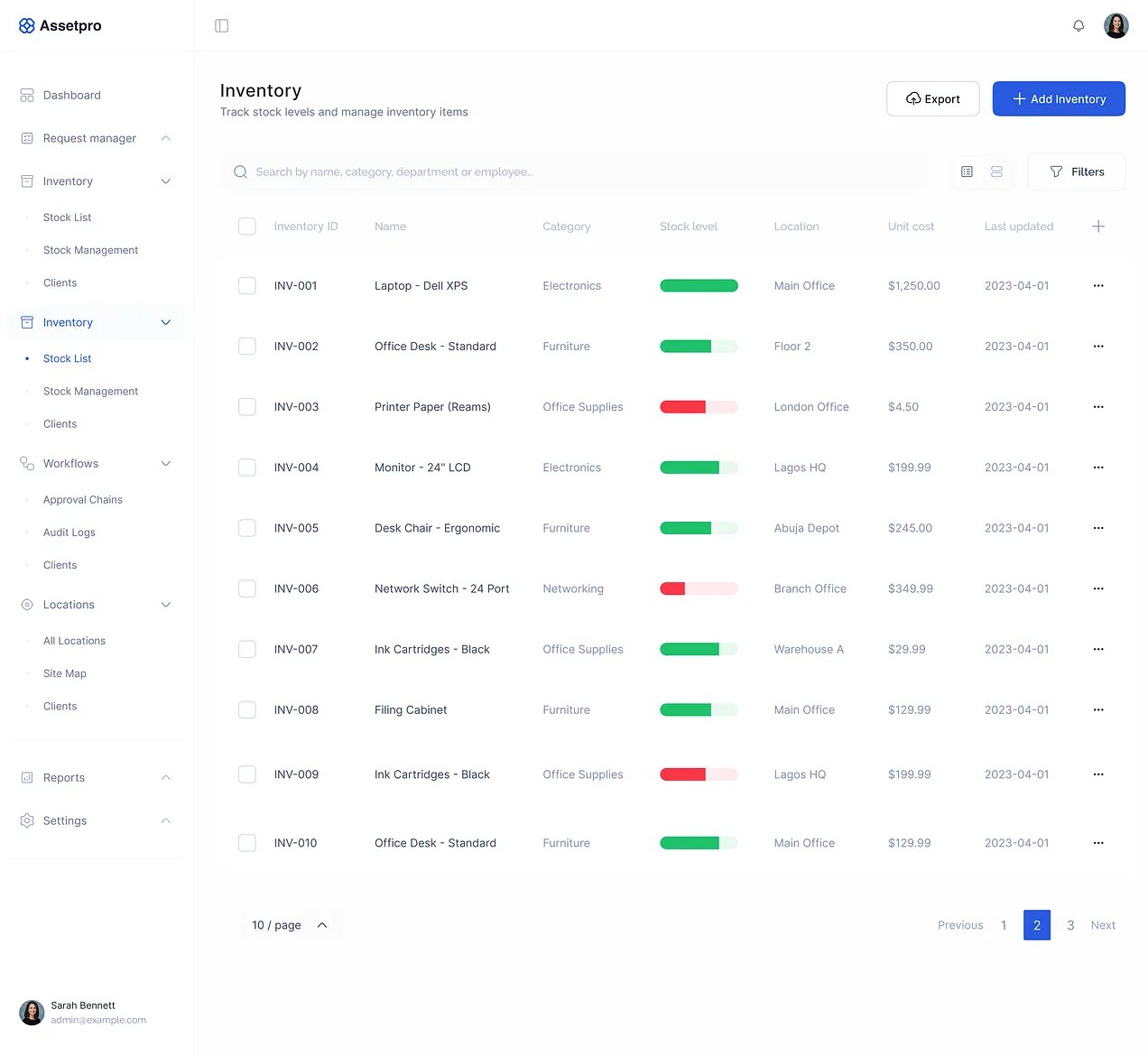
Assets are not inventory
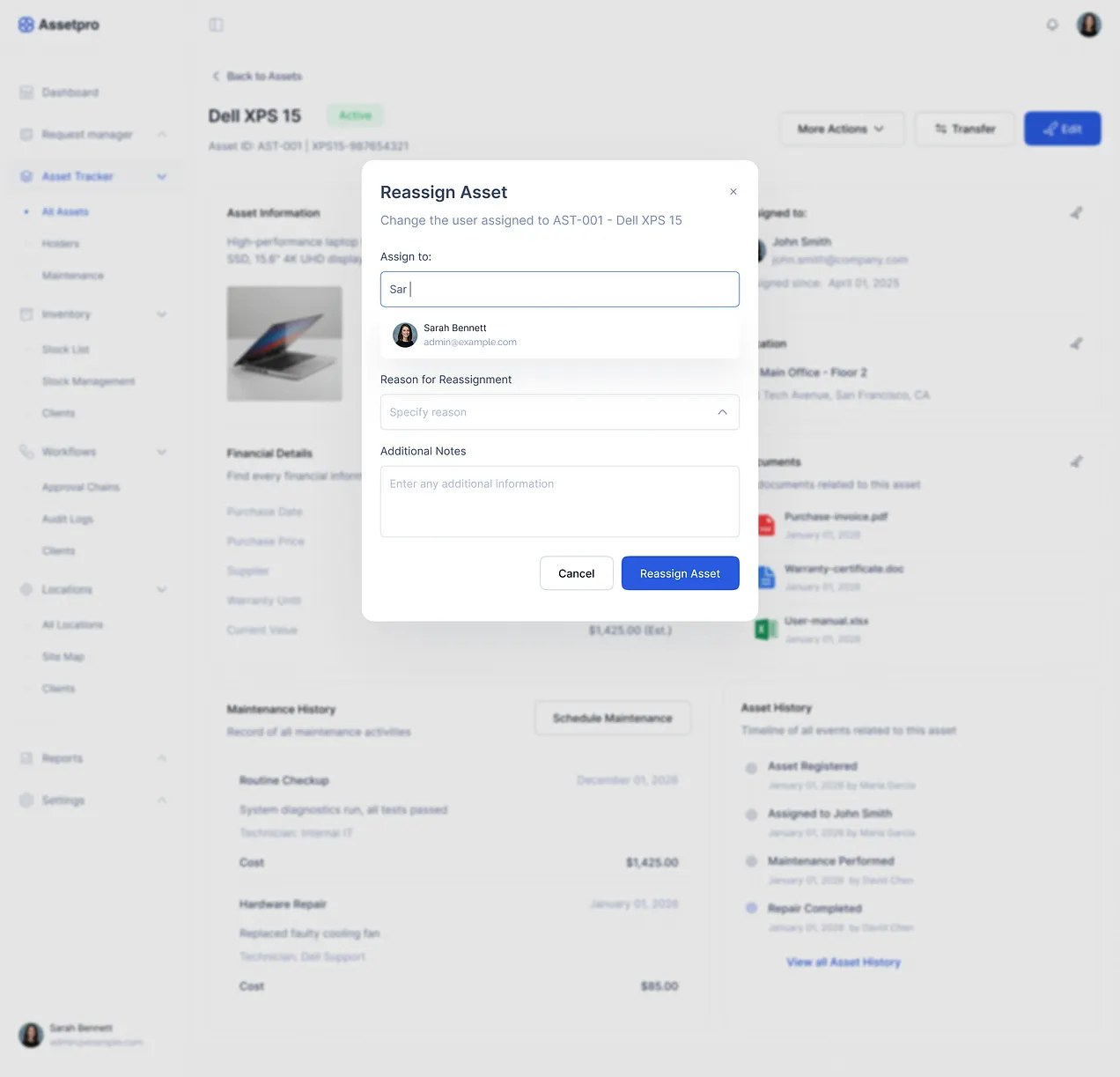
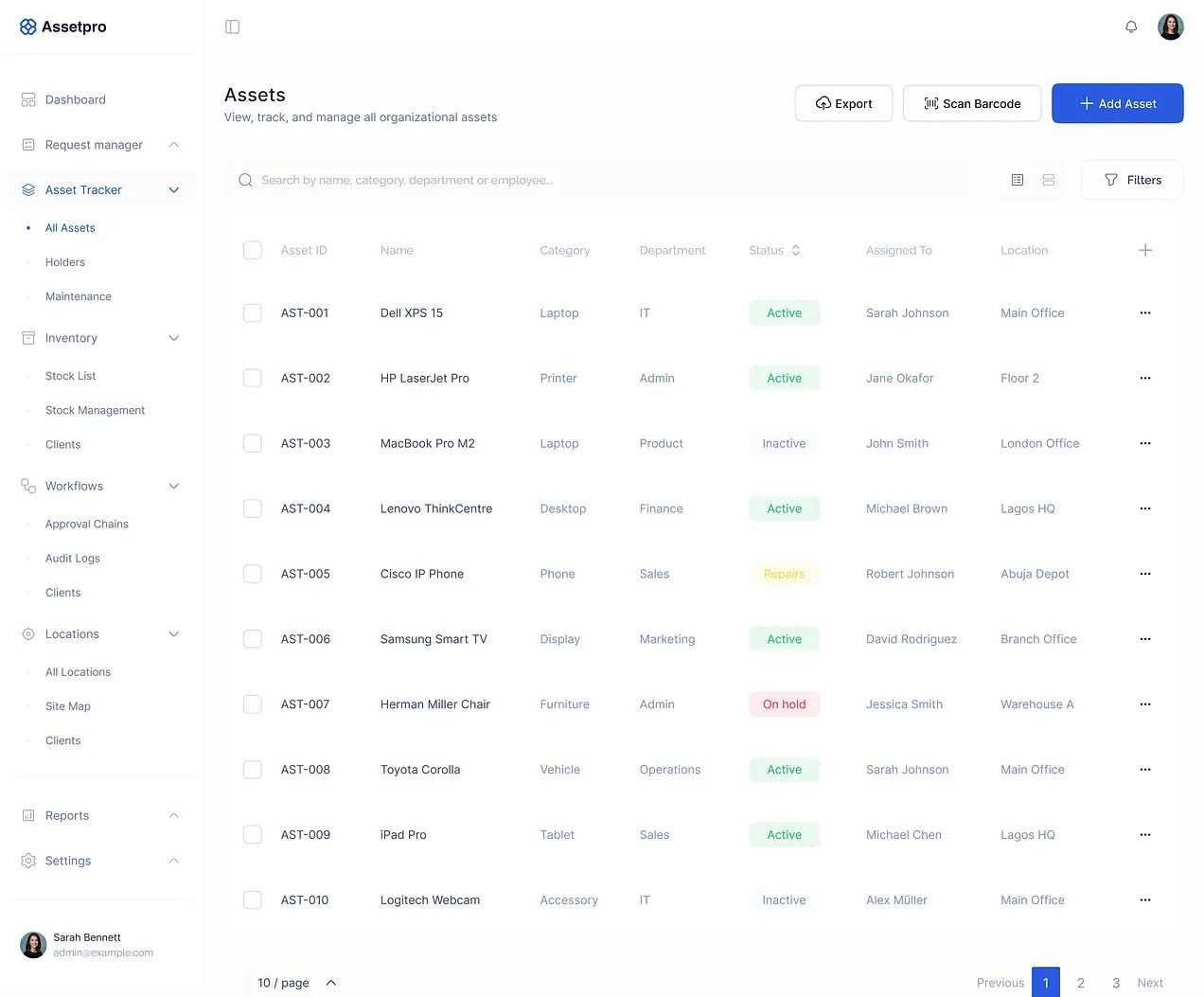
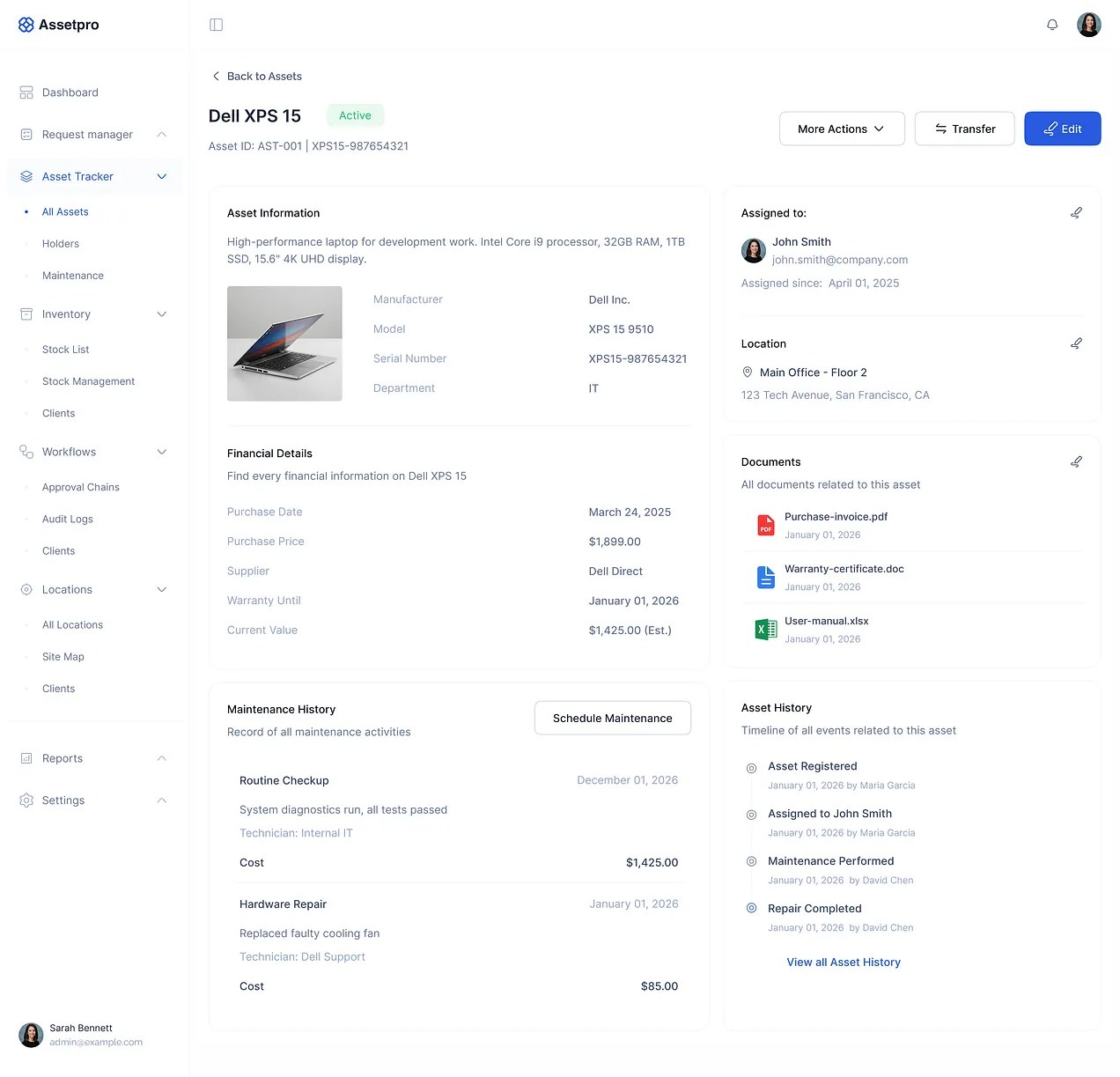
The single decision the rest of the product rests on. Assets are assigned items tracked through lifecycle stages, who holds them, where they are, what they are worth now. Inventory is bulk stock with unit cost, quantities and reorder levels. The brief used the words interchangeably. Separating them clarified ownership and gave each its own workflow.
Requests and approvals
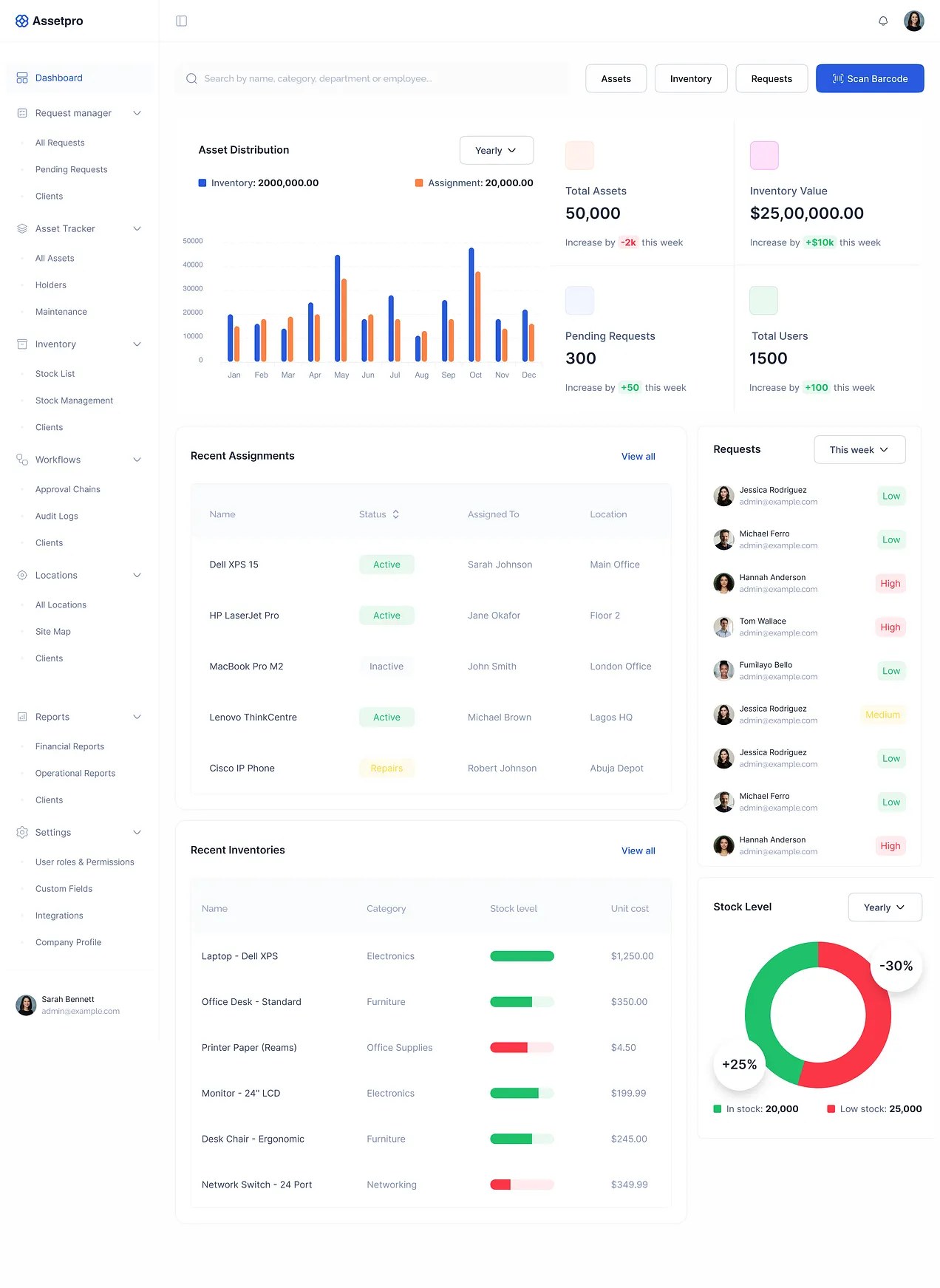
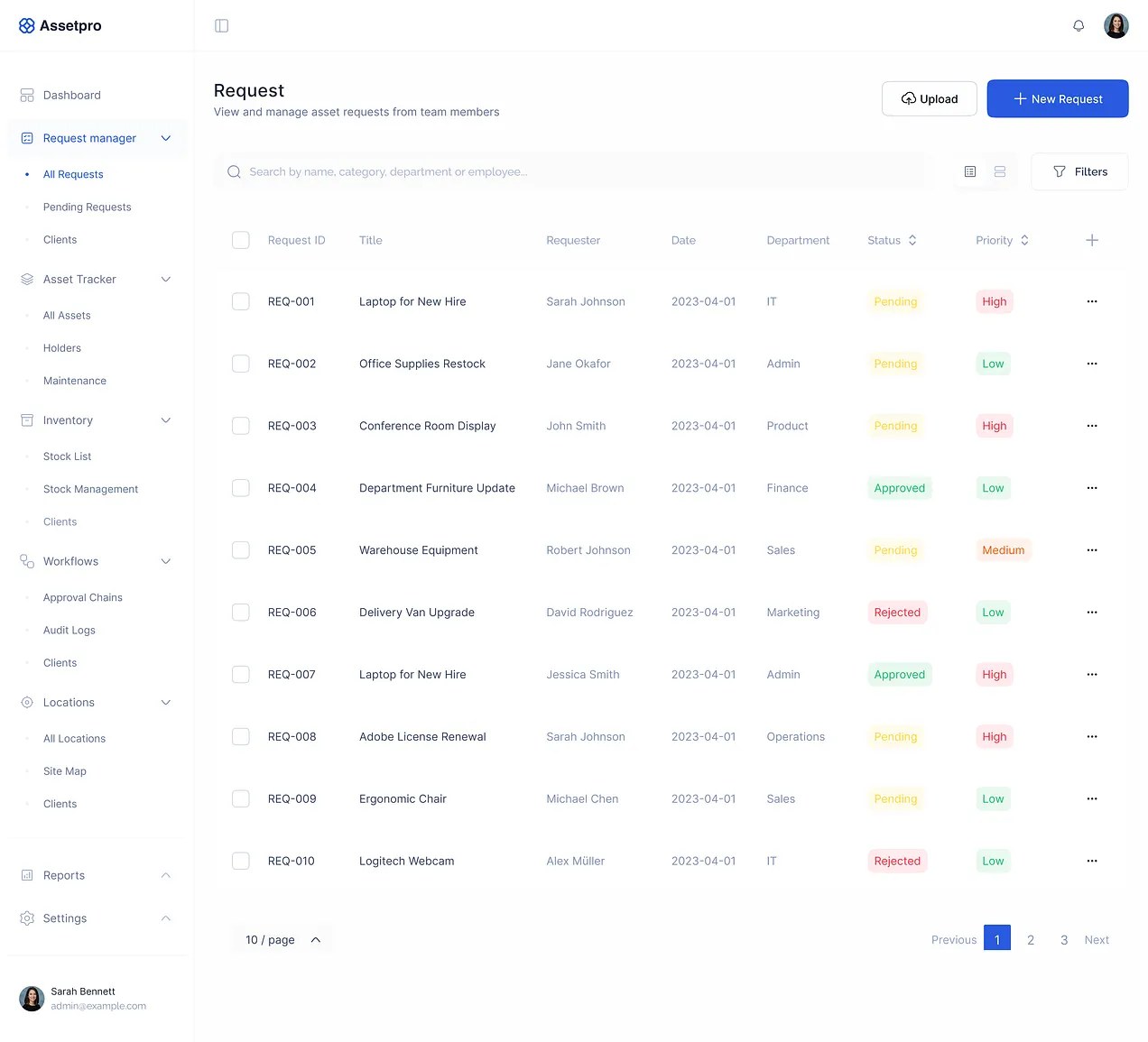
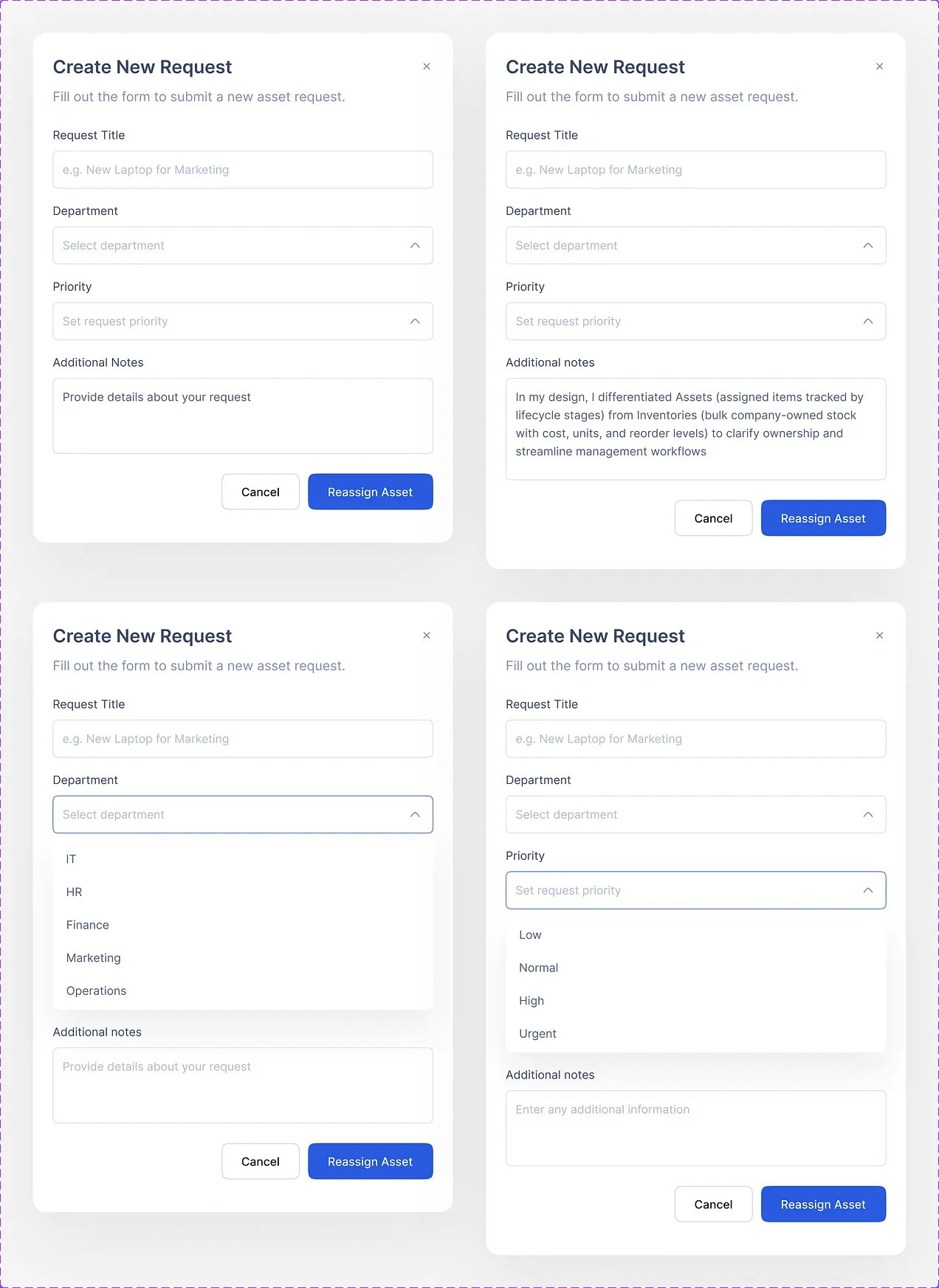
A request is the start of an asset’s life, so it carries what an approver needs to decide: title, department, priority, notes. Status and priority are the two columns you can sort by, because those are the two questions anyone opening this screen is asking.
Stock that moves
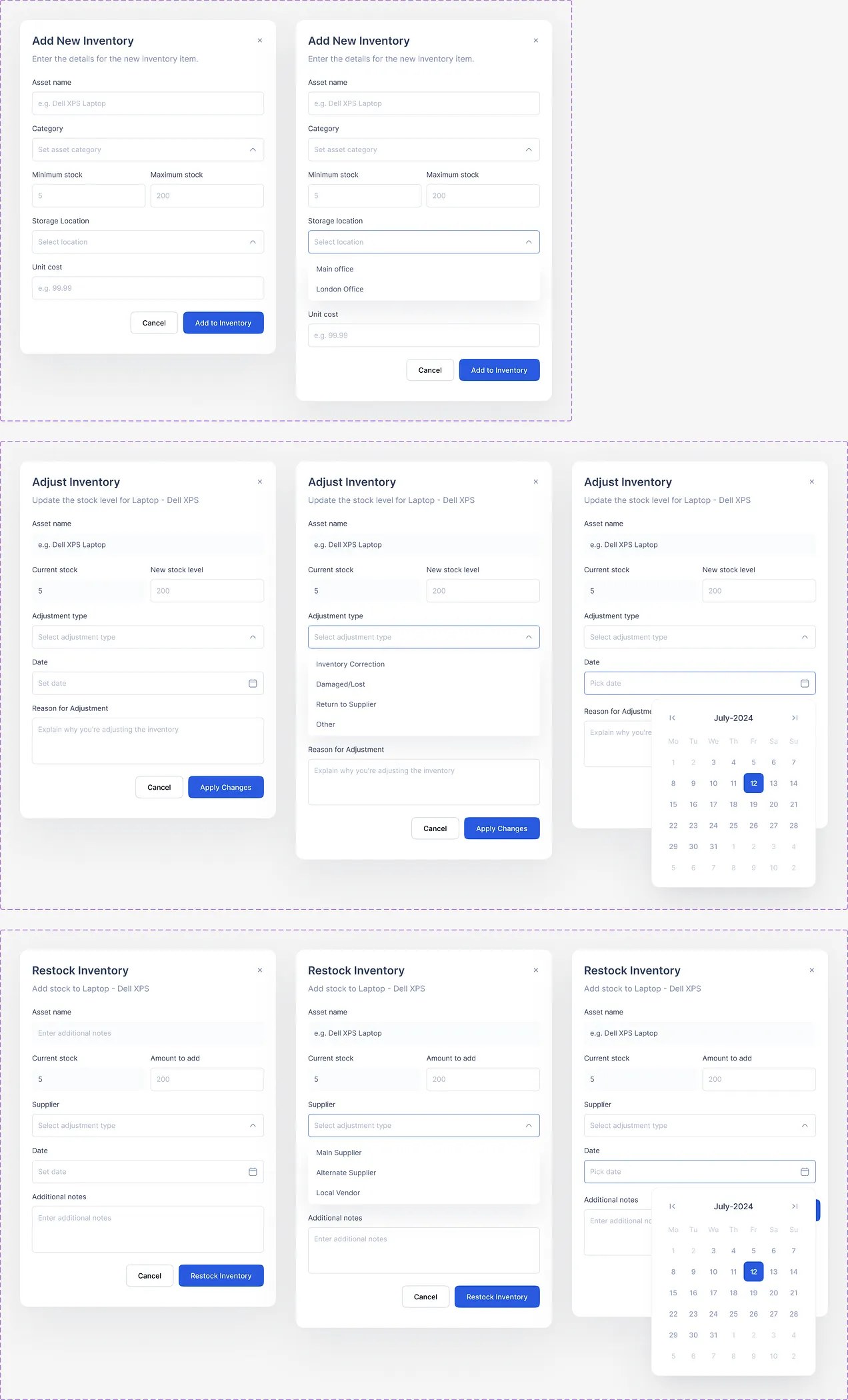
Three operations, three dialogs, deliberately not one. Add new inventory, adjust a level with a reason, restock from a supplier. Adjustment demands a reason and a date because an unexplained stock change is how registers stop being trusted.
Barcode
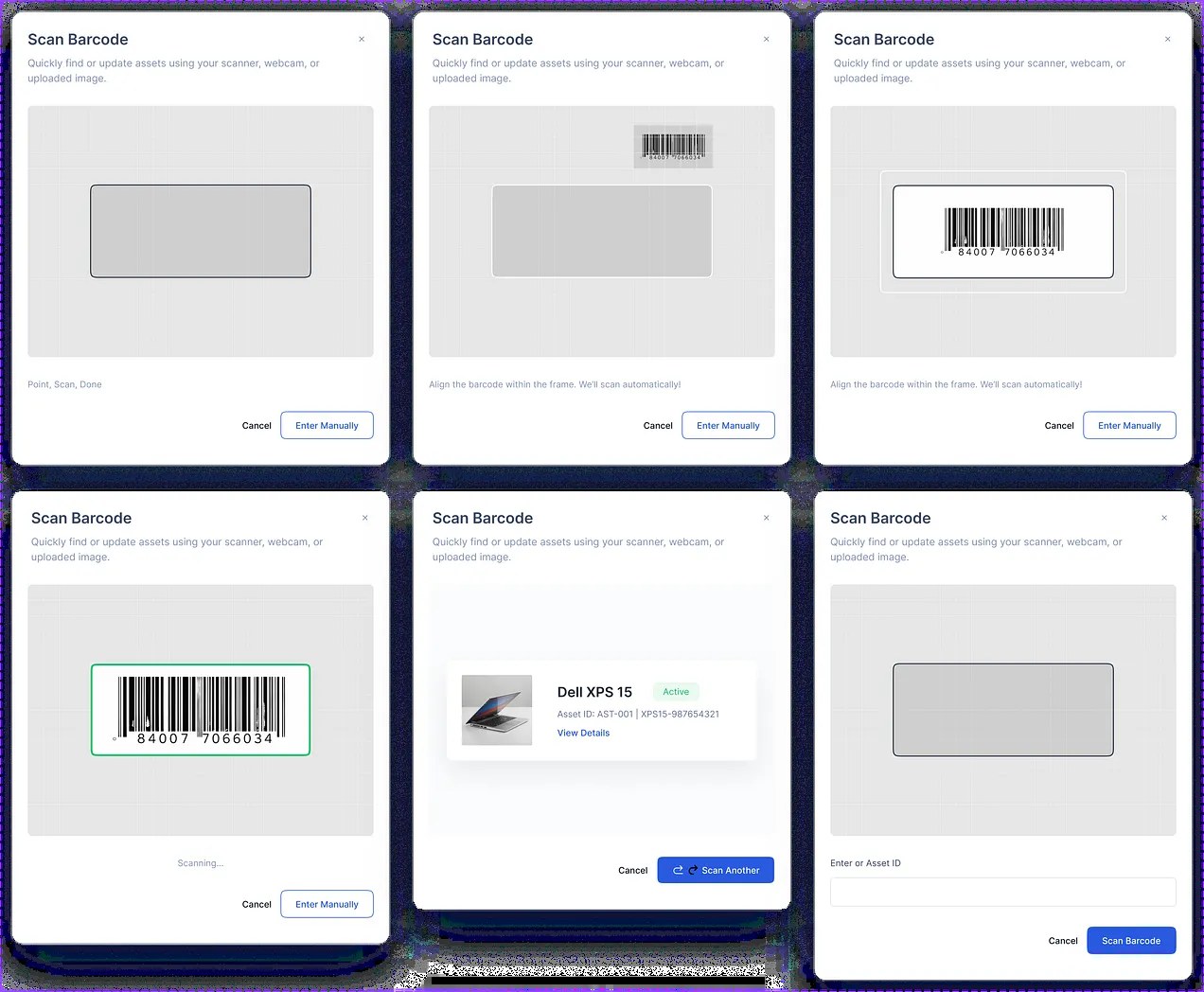
Scanning is the difference between a register that is maintained and one that rots. Six states: idle, aligning, detected, scanning, matched, and manual entry, because the camera fails often enough that typing the ID has to be one tap away, not a dead end.
Holding it together
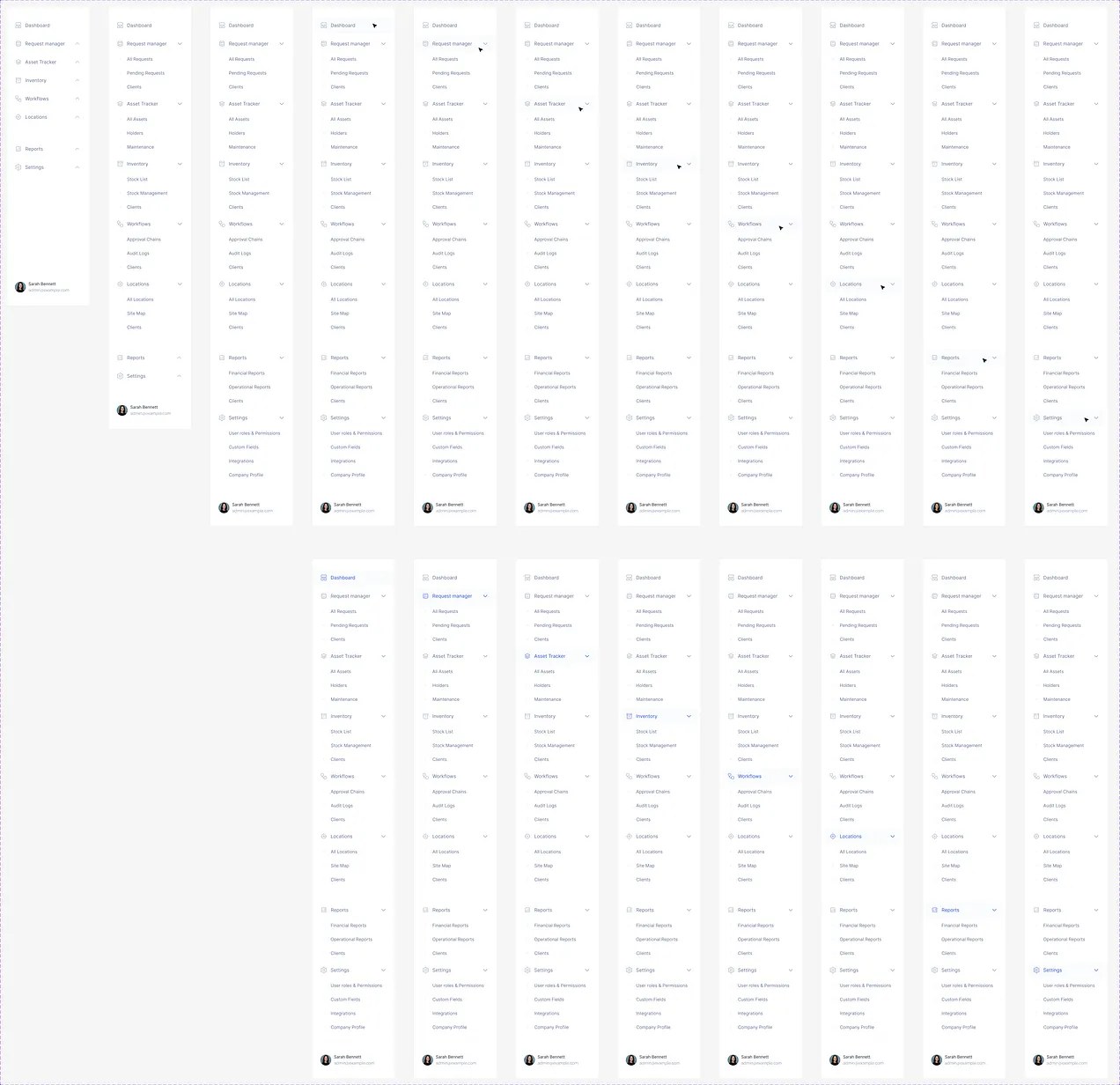
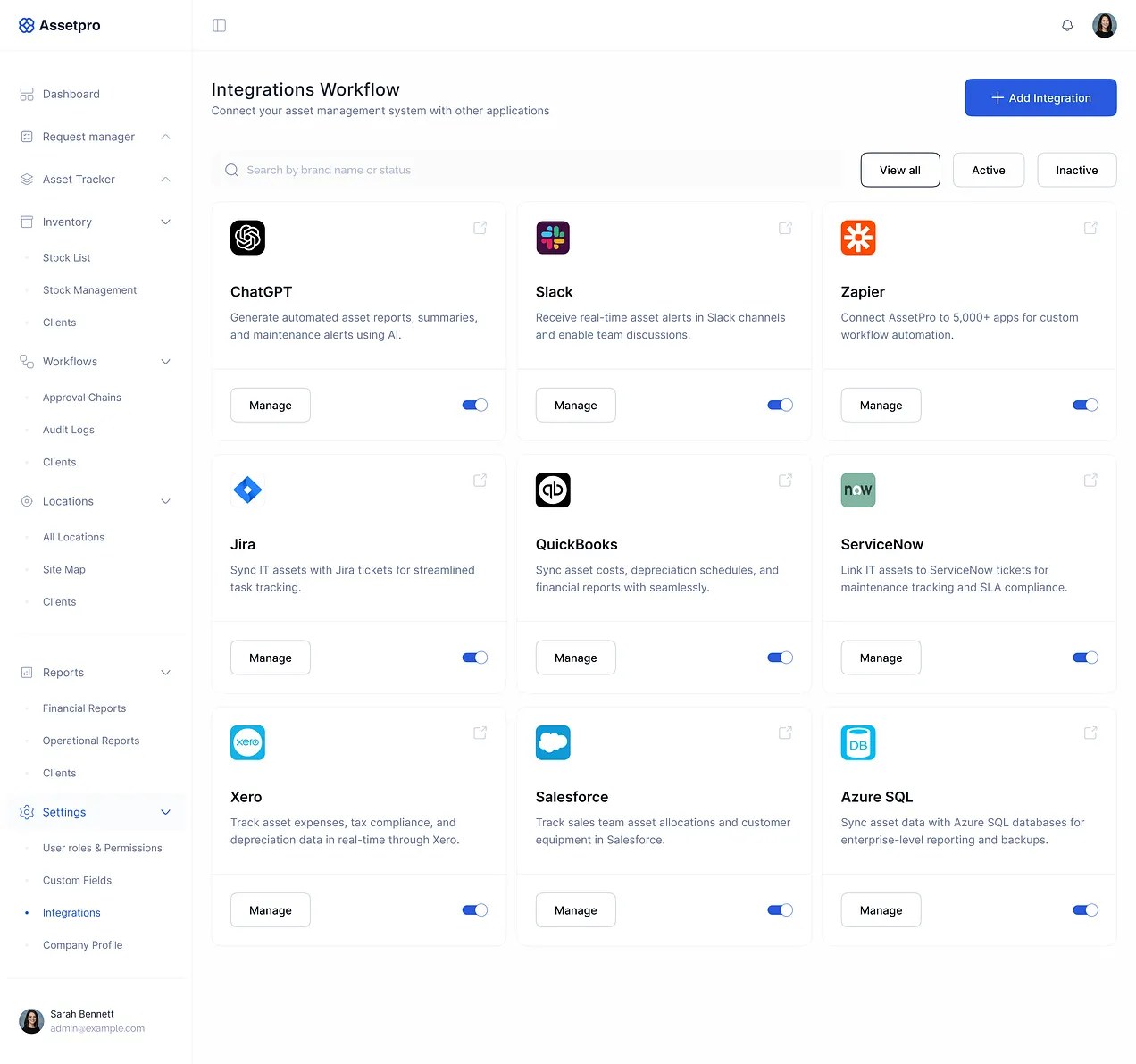
Every navigation state drawn out, so a nine-module product still tells you where you are. And an integrations surface, because an asset system that does not reach accounting and ticketing becomes a second set of numbers to reconcile.
Outcome
What it was for
This was a timeboxed assessment, not shipped client work, and it is labelled that way deliberately. Assessment work is judged more generously because everyone knows the conditions, the failure mode is letting it read as a shipped product and having that unravel in an interview.
Submitted as a working Figma prototype covering requisition to retirement.
What I’d do differently
With the deadline gone, I’d test the assets-versus-inventory split with someone who actually runs a register. It is the decision everything else depends on, and I made it from reasoning rather than evidence.
I’d also design the depreciation view. It is named in the brief, it is the reason finance teams buy these products, and it is the module I represented rather than built.
Screens
Click to select, double-click to open full size.